Android Devices
USING XCIPTV
- Download XCIPTV from the Playstore.
- Open the app.
- Choose Xtream Codes API.
- Enter the username, password and API URL received by email.
- Enjoy.
USING IPTV SMARTERS PRO
1. We will first install the Downloader app
This app will help you sideload IPTV Smarters (because browser downloads are not allowed)
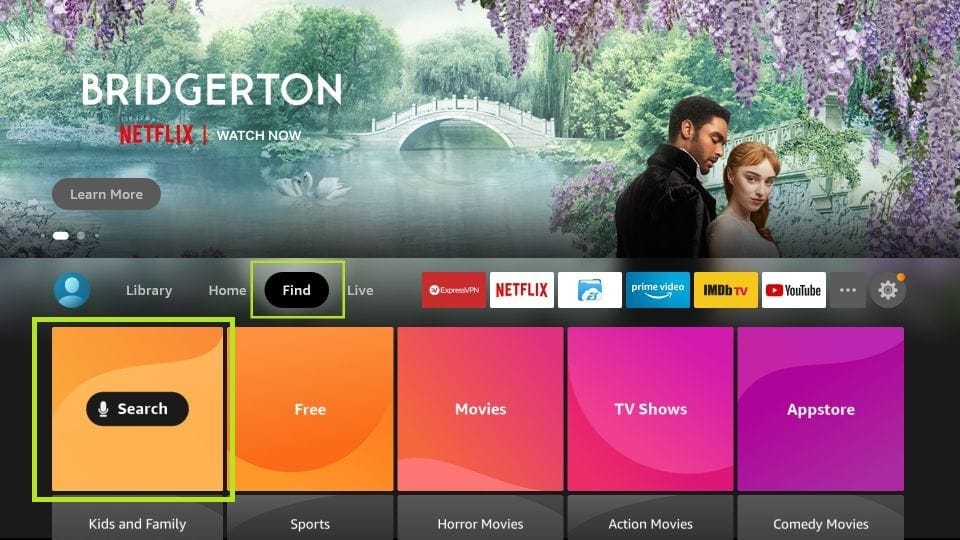
2. Click the Find > Search option on the home screen of FireStick
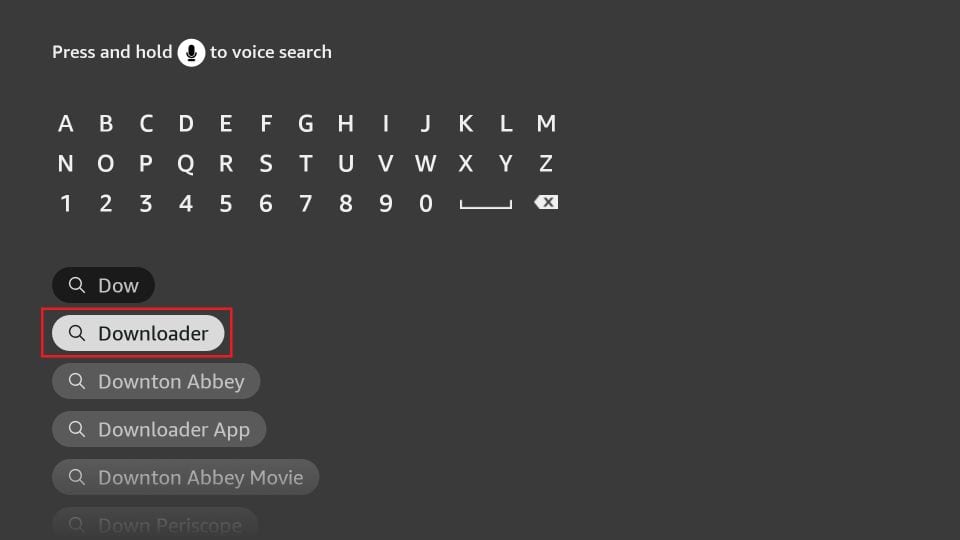
3. Type the name of the app (which is Downloader)
Click the Downloader option when it is displayed in the search results
Choose the Downloader icon on the following screen and download and install the app
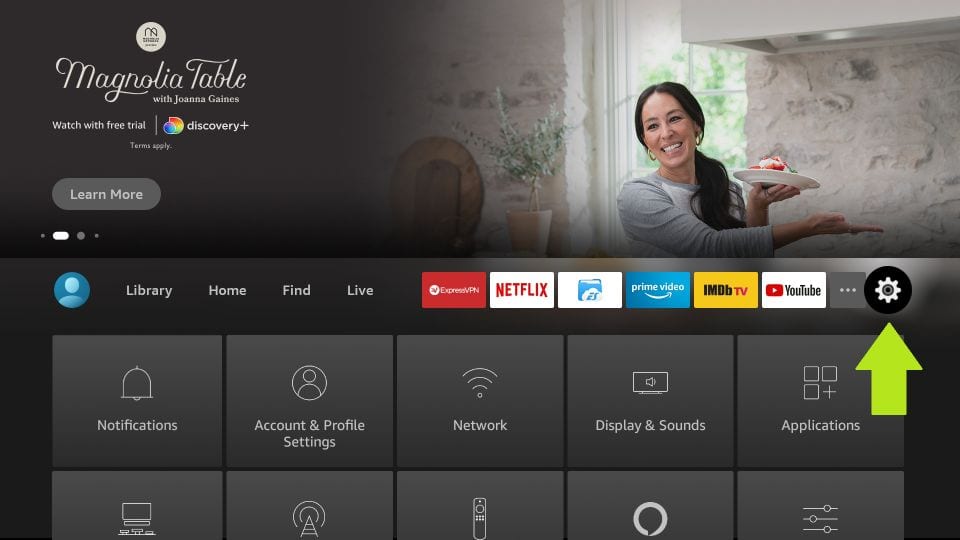
4. Get back to the home screen of FireStick after installing the Downloader app
In the menu bar, click Settings
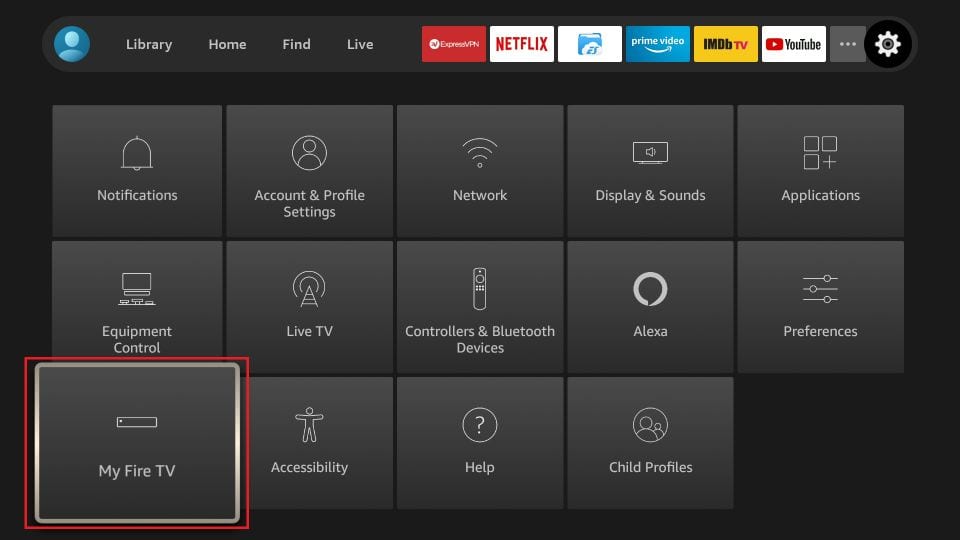
5. In the Settings, choose the option My Fire TV
6. When the following set of options are displayed on the next screen, click Developer Options
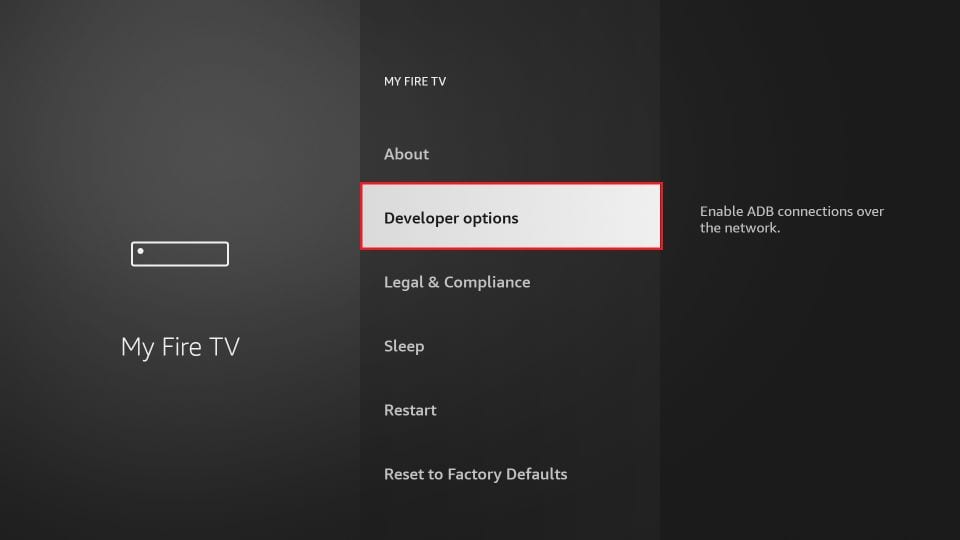
7. Click Install from unknown apps
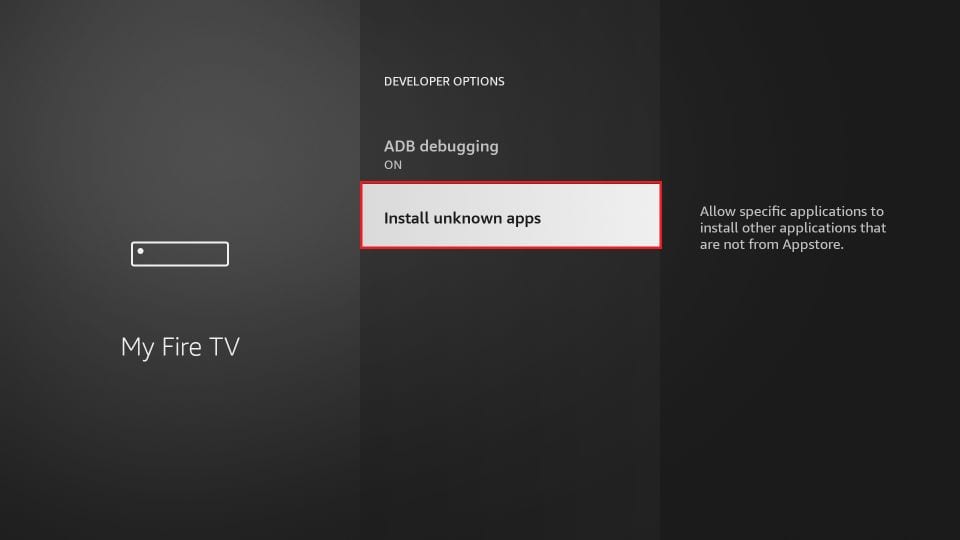
8. Click Downloader to change the status to ON
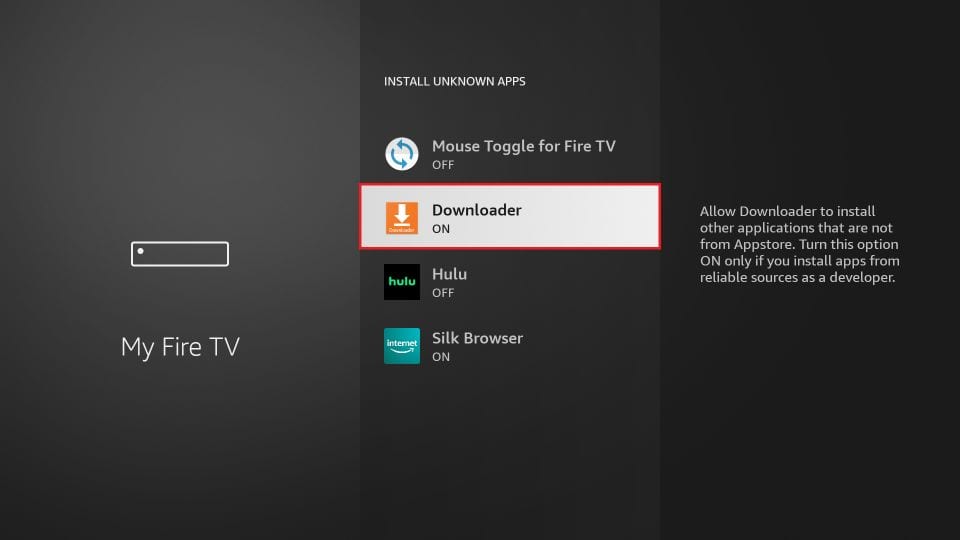
With this, you have configured the FireStick settings to allow the installation of IPTV Smarters and other third-party apps. Follow the steps below:
9. You may now open the Downloader app
When you run this app for the first time, a set of prompts will appear. Dismiss them until you see the following screen
On this screen, you need to click the URL textbox on the right side (make sure Home option in the left menu is selected) where it says 'http://'
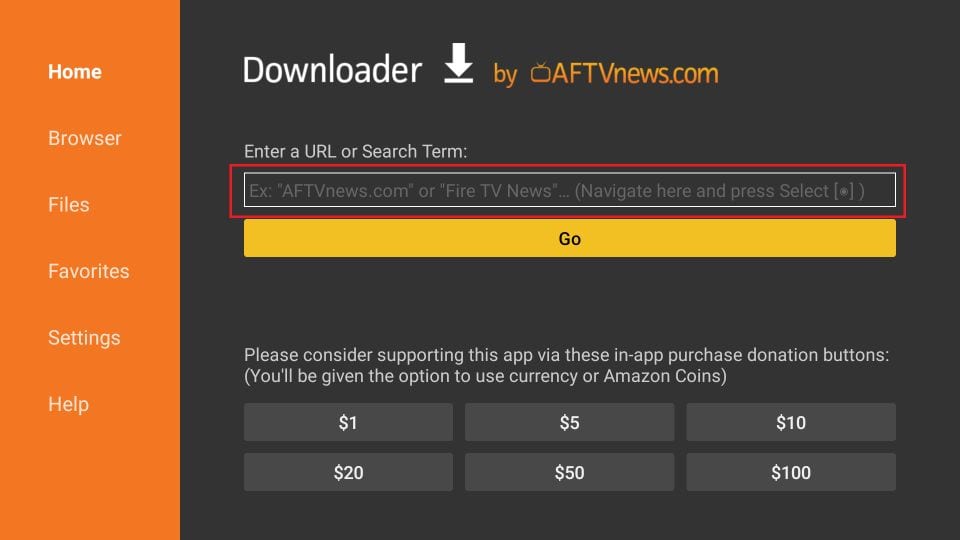
10. Go ahead and enter the following path on this window: index.html
Note: You may also use the shortened version of the URL index.html
Click GO
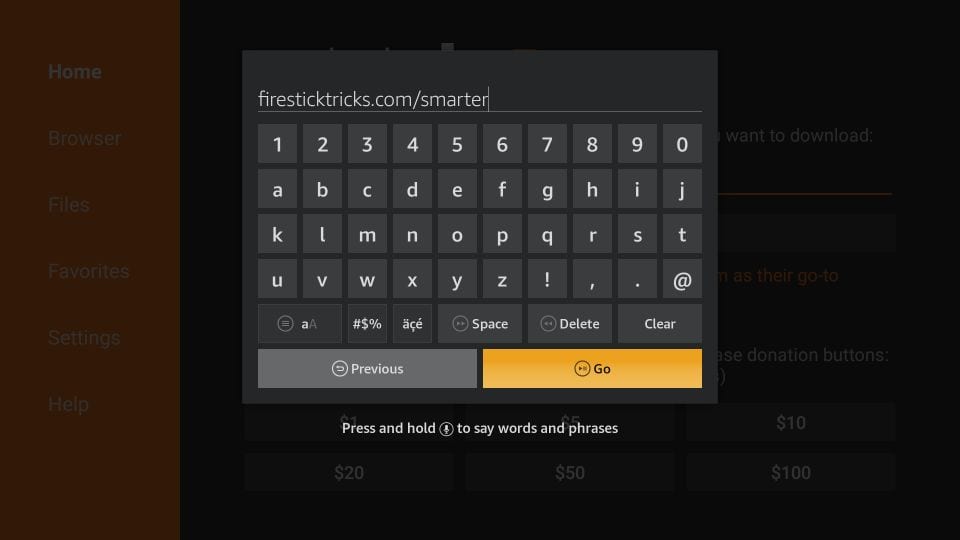
11. Give it a minute or two until the IPTV is downloaded onto your FireStick device
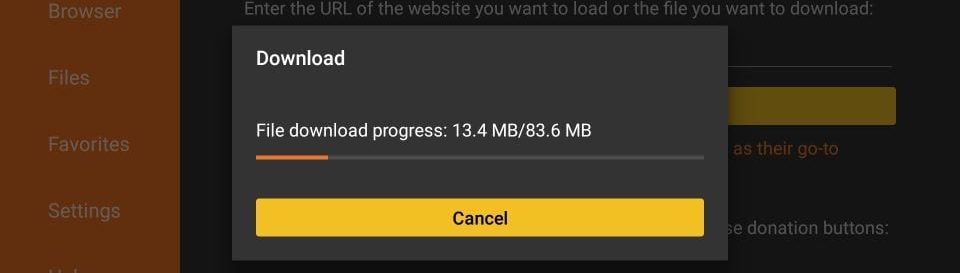
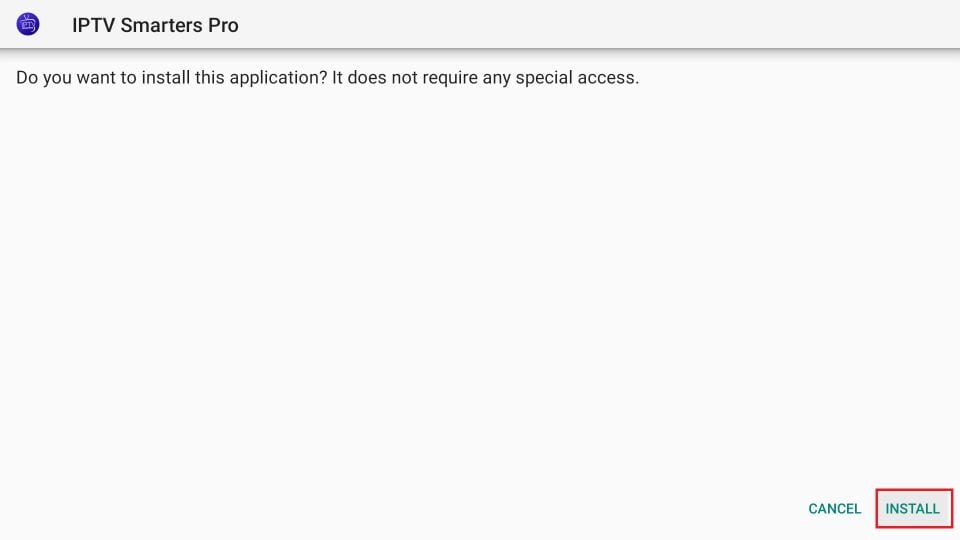
12. When the download has completed, the Downloader app will run the APK file and the installation will start
Click Install
13. Wait for the installation to finish
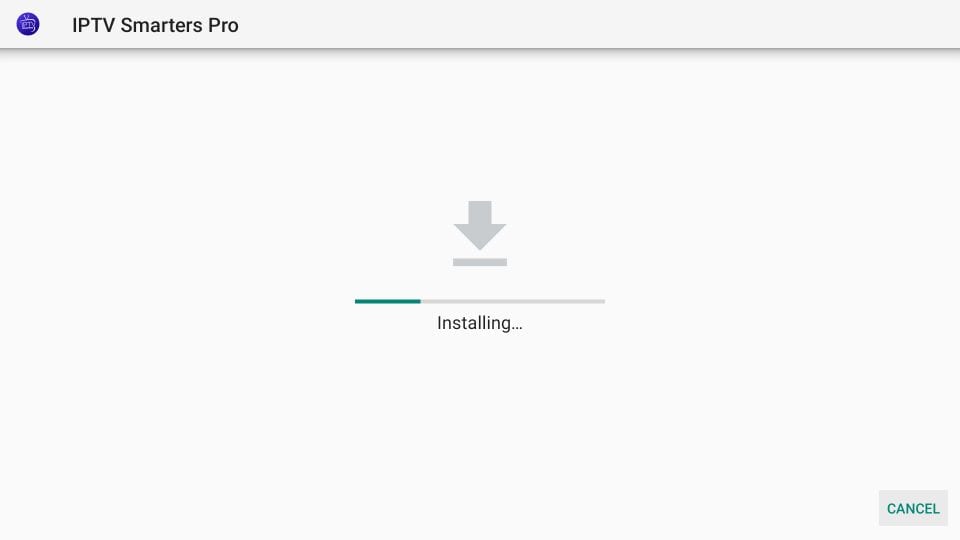
You may now choose to click OPEN and get started with IPTV Smarters
14. Now all you need to do is log in using the xtream code we sent you.
USING TIVIMATE IPTV PLAYER
- Go to Play store
- Search for Tivimate IPTV Player and download it.
- Open the app
- Click on Add playlist
- Insert your IPTV subscription URL (will be sent to your email) inside the Playlist URL section
- Click on Okay and wait for the Channels to load.